Stock, supplier orders and stock-taking
Prescribing, stock and ordering live in one system. Saving a prescription deducts stock, Medicloud works out how many days each item will last at its usage, flags what runs low on the home page, and suggests how much to order from your own suppliers.
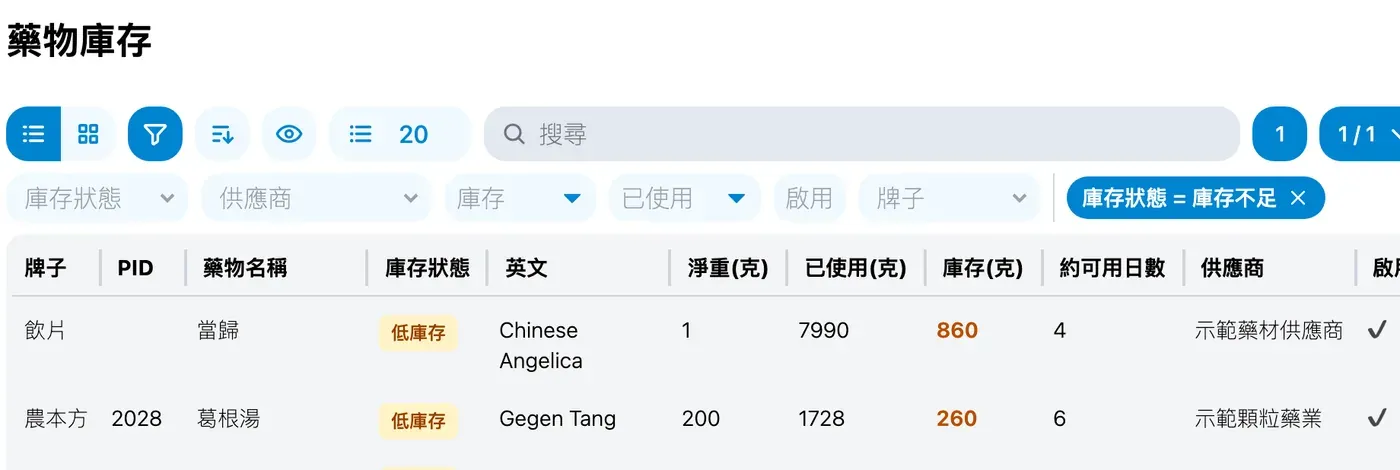
What it does
- Every search result while prescribing shows its stock.
- Saving a record deducts stock according to the clinic’s dose-merge setting, and deleting the record returns it.
- Low stock follows each item’s recent usage: an item is low when its stock lasts fewer days than the clinic sets, 14 by default. An item can also have its own days or a fixed quantity.
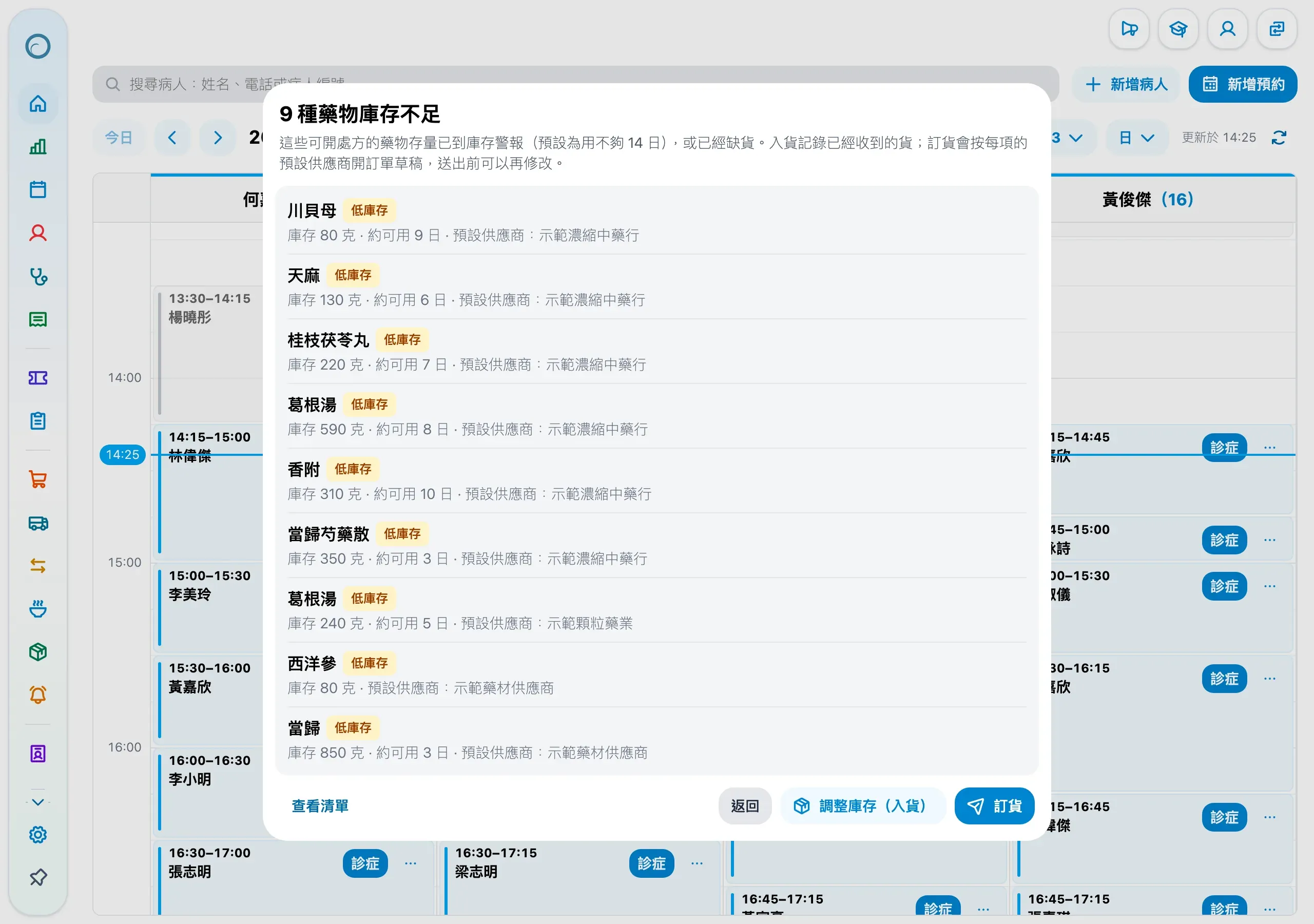
- The home page warns of drugs and of products separately. One click opens a stock-in filled in with suggested quantities, or drafts orders by each item’s default supplier.
- Order from your own suppliers with quantities suggested from usage. Send the order by WhatsApp, email, print or copied text, and Receive stocks the goods in when they arrive.
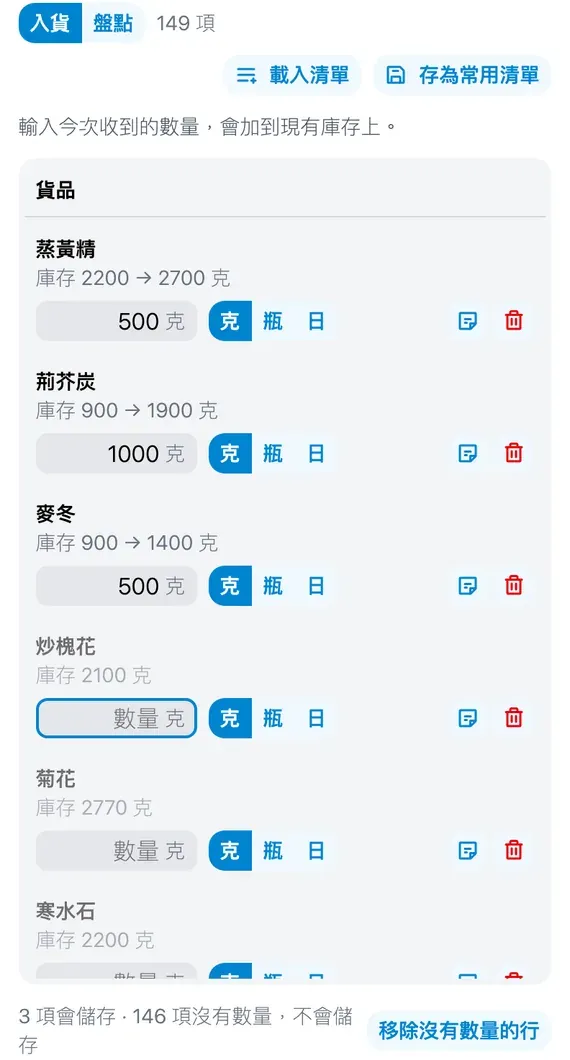
- The stock-in and stock-take sheet: pick items on one side and fill quantities on the other, load a saved list or the latest stock-in, and add a note to any item. Stock-in quantities can also be entered in days.
- Stock entries are voided rather than deleted, and stock is recalculated from the remaining entries, so there is always a trail.
- Switch on drugs by brand, including decoction pieces, 農本方, 海天, 漢方, 綠色仁和 and 順天堂, a whole brand at a time. Clinics can add their own drugs too.
- Products such as needles and cupping sets keep stock as well, with CSV import and export.
- Bulk Action in Drug Inventory deletes several drugs added by mistake at once, when they have never been used and hold no stock; the others are kept and can be switched off together.
Stock alerts
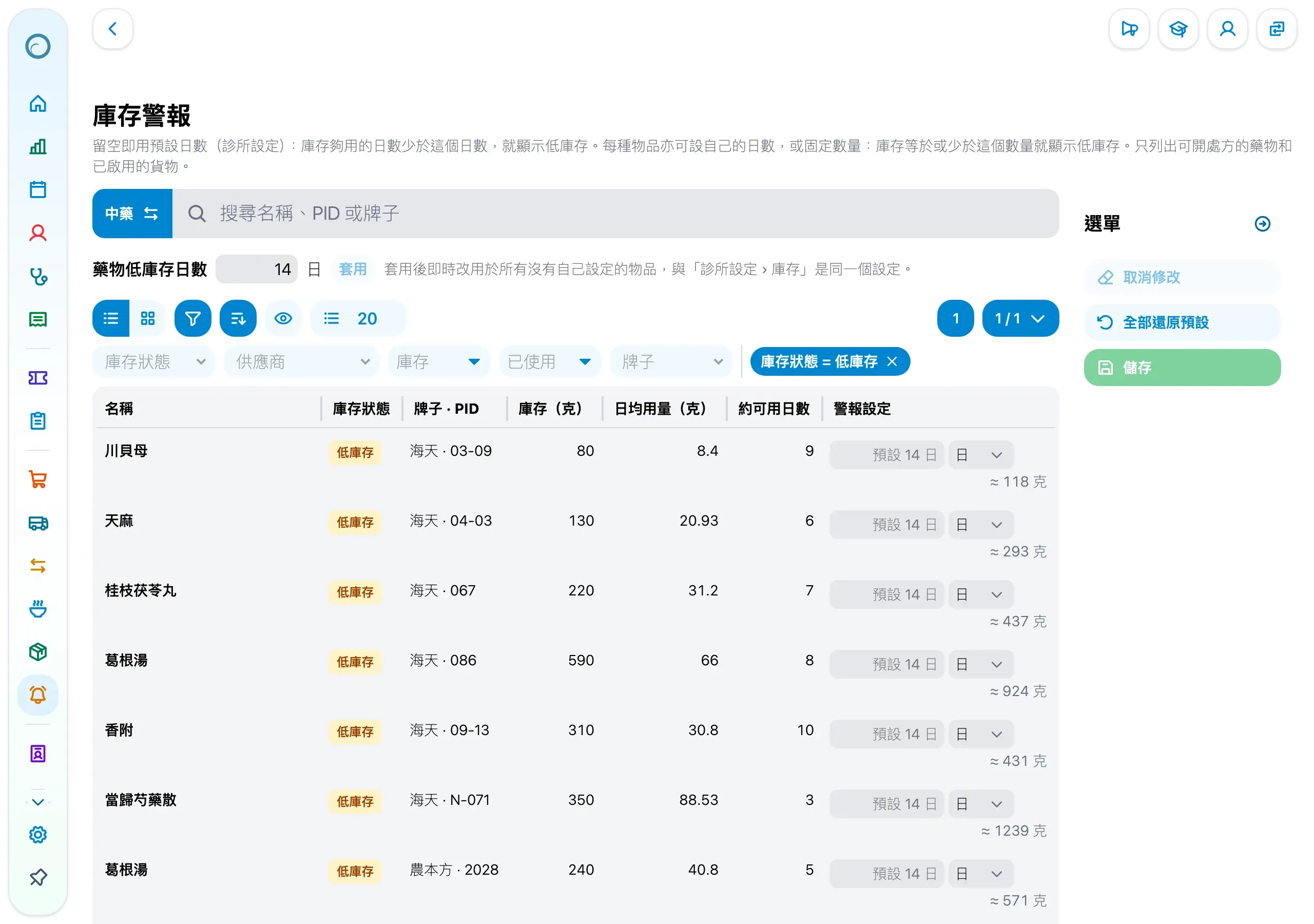
The stock alerts page lists each drug or product with its stock, daily usage and days left. Daily usage is the higher of the 30-day and 90-day averages, so a rise shows within days and a quiet month does not hide an item that is usually busy.
The home page’s low-stock warning lists the items that need stock, and marks those already on an order draft:
Ordering from your own suppliers
Your clinic orders from any supplier it chooses: Medicloud prepares the order, and your clinic sends it.
- Add the suppliers you use, with their WhatsApp number and email, in the clinic settings; staff who may change the settings can also add one while ordering.
- Start an order by choosing the supplier, and its items come first in the picker. Add suggestions adds the items that need ordering at quantities suggested from usage, in bottles, grams or days.
- Press Order and send it by WhatsApp, email, print or copied text. The order names the clinic’s address and phone, the order number and each item, never a patient.
- When the goods arrive, Receive on the order stocks them in.
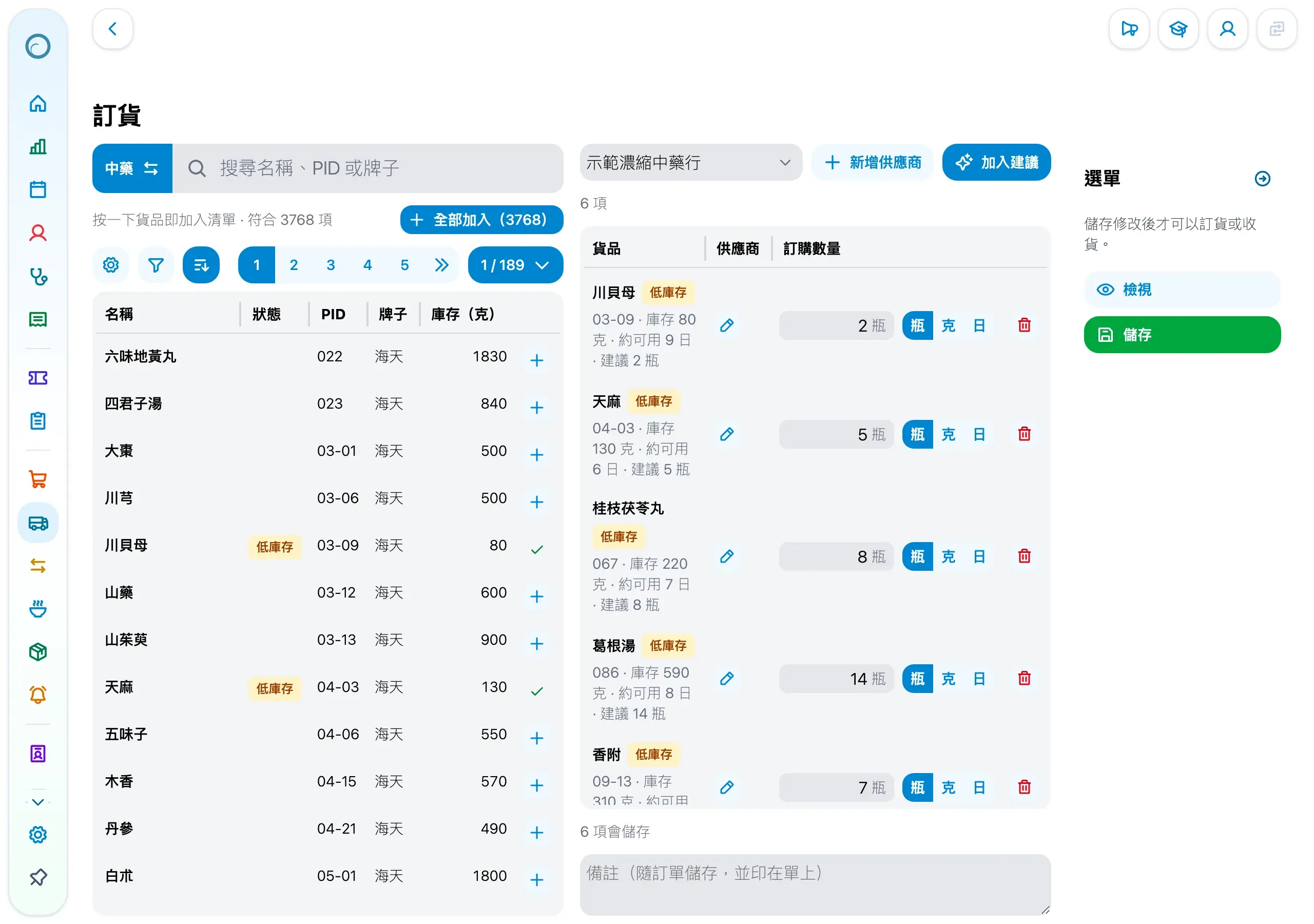
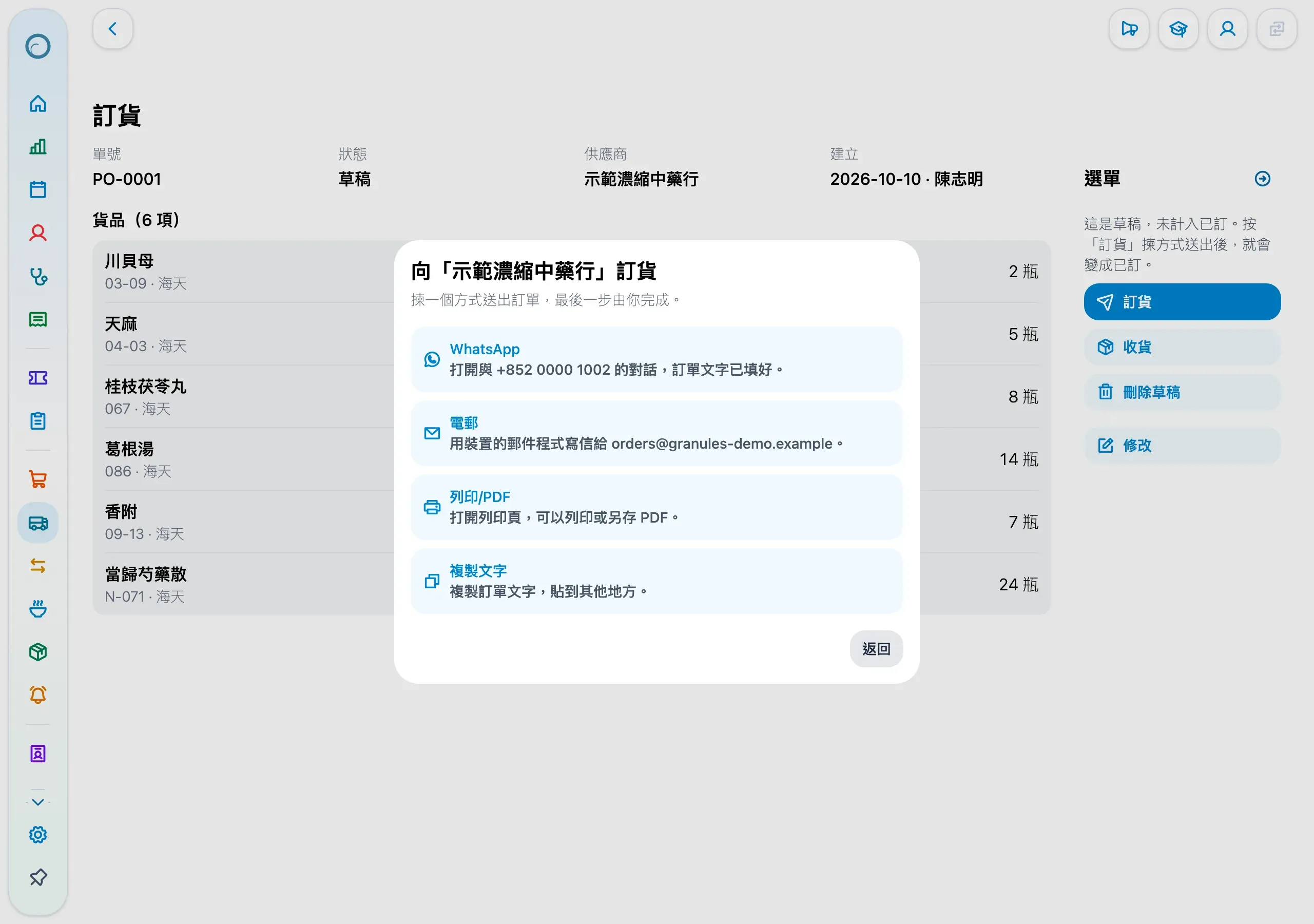
Each drug and product can have several suppliers and a default one, and saving an order adds its supplier to the items on it.
Stock-in and stock-taking
- Open the stock-in sheet, filter by brand or name, and add the items you need, or load a saved list or the latest stock-in.
- Fill in quantities; each row shows the stock after the entry.
- Save, and stock updates at once.
New to Medicloud? Try it free for 3 months, no credit card