Customized medical advice
The advice a doctor gives often, such as what to eat and avoid, how to take the medicine and when to come back, can be written once in Personal Config. While writing a medical record, Select Medical Advice adds it with one click, so nobody types it again. Each doctor keeps their own list.
Setting up your medical advice
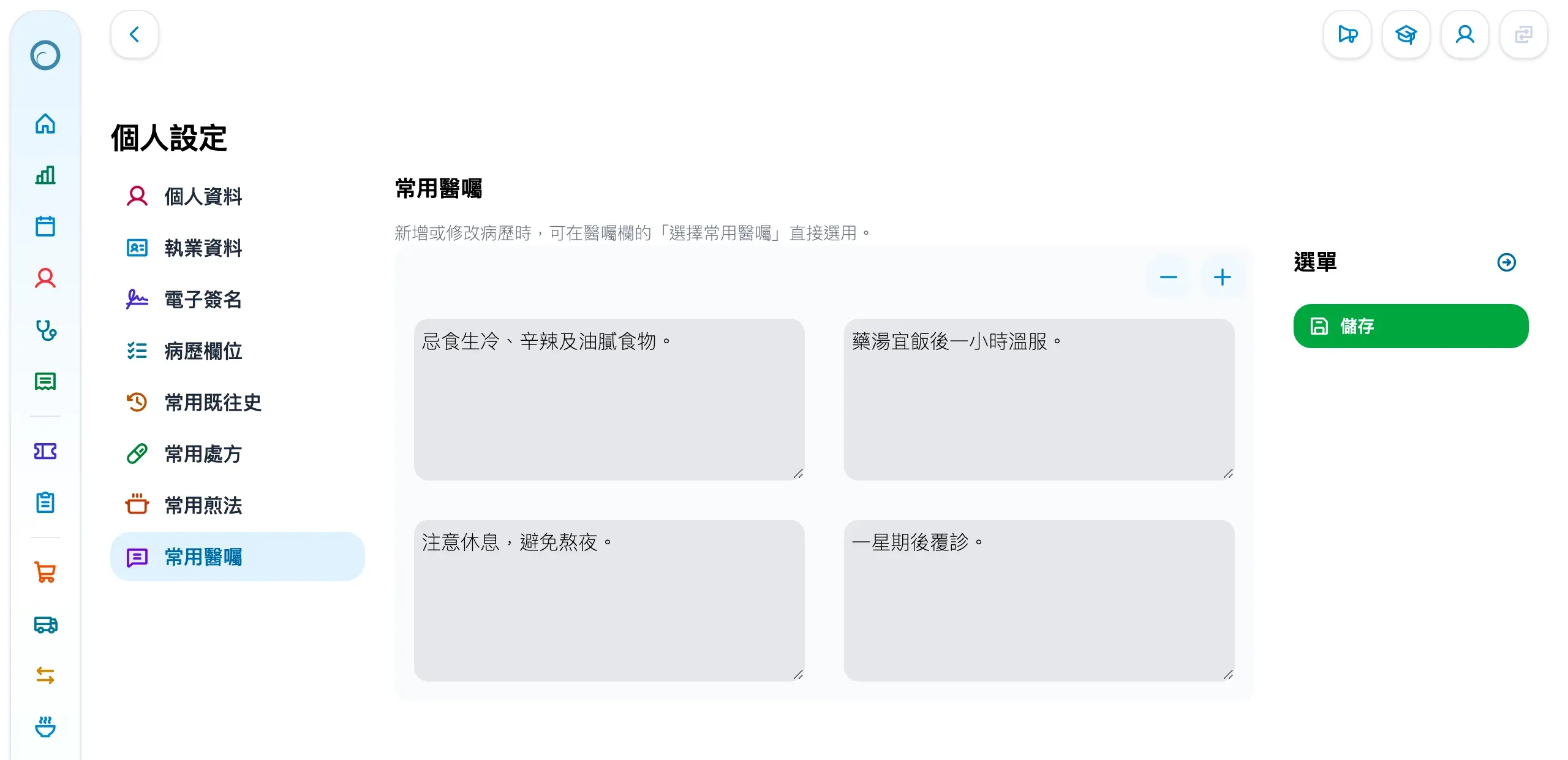
- Click the user icon at the top right, choose Personal Config (個人設定), then Medical advice presets (常用醫囑) on the left.
- Click the + at the top right to add an item and type the advice in its box; click + again for each further item.
- Click Save (儲存) in the menu on the right.
Using it in a medical record
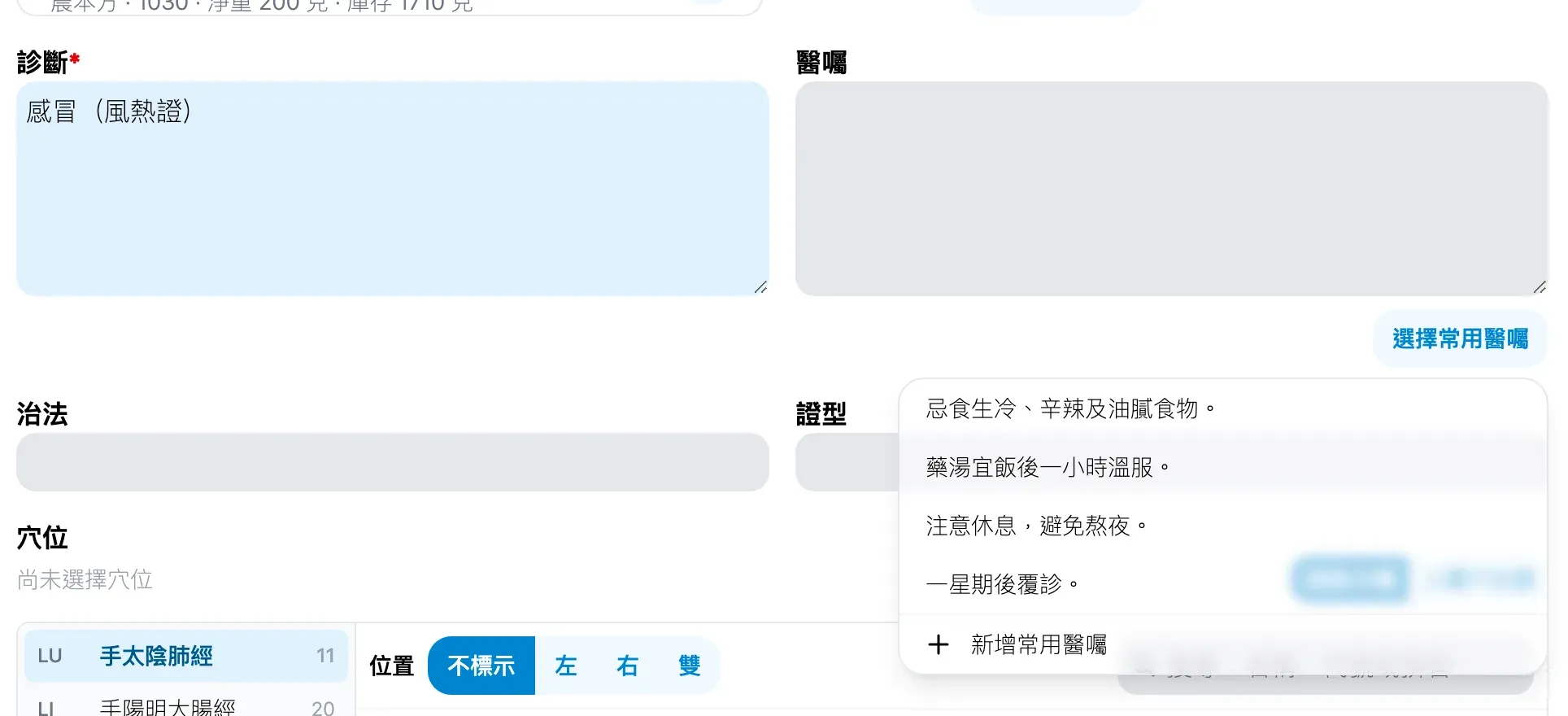
- While creating or editing a medical record, click Select Medical Advice (選擇常用醫囑) under the medical advice (醫囑) field.
- Click the advice you need and it is added to the field. When the field already has text, the new advice goes on the next line, so several can be added one after another and edited afterwards.
- To add new advice, click Add medical advice in personal settings (新增常用醫囑) at the bottom of the list, which opens Personal Config in a new tab.
Medical history presets (常用既往史) and decoction presets (常用煎法) are set up the same way in Personal Config.
New to Medicloud? Try it free for 3 months, no credit card